The Campus Register Vol. I Welcome Week Edition

The campus that
welcomes you
by itself.

It’s move-in day. A freshman stands on the quad with two duffel bags and forty questions. With Waypoints, every building, statue, and lecture hall can introduce itself, point the way, and answer — right in the phone browser. No download, nothing to install.

Tap a marker — QR · NFC · GPS — and the place starts talking

Nothing to install Any language Live by welcome week
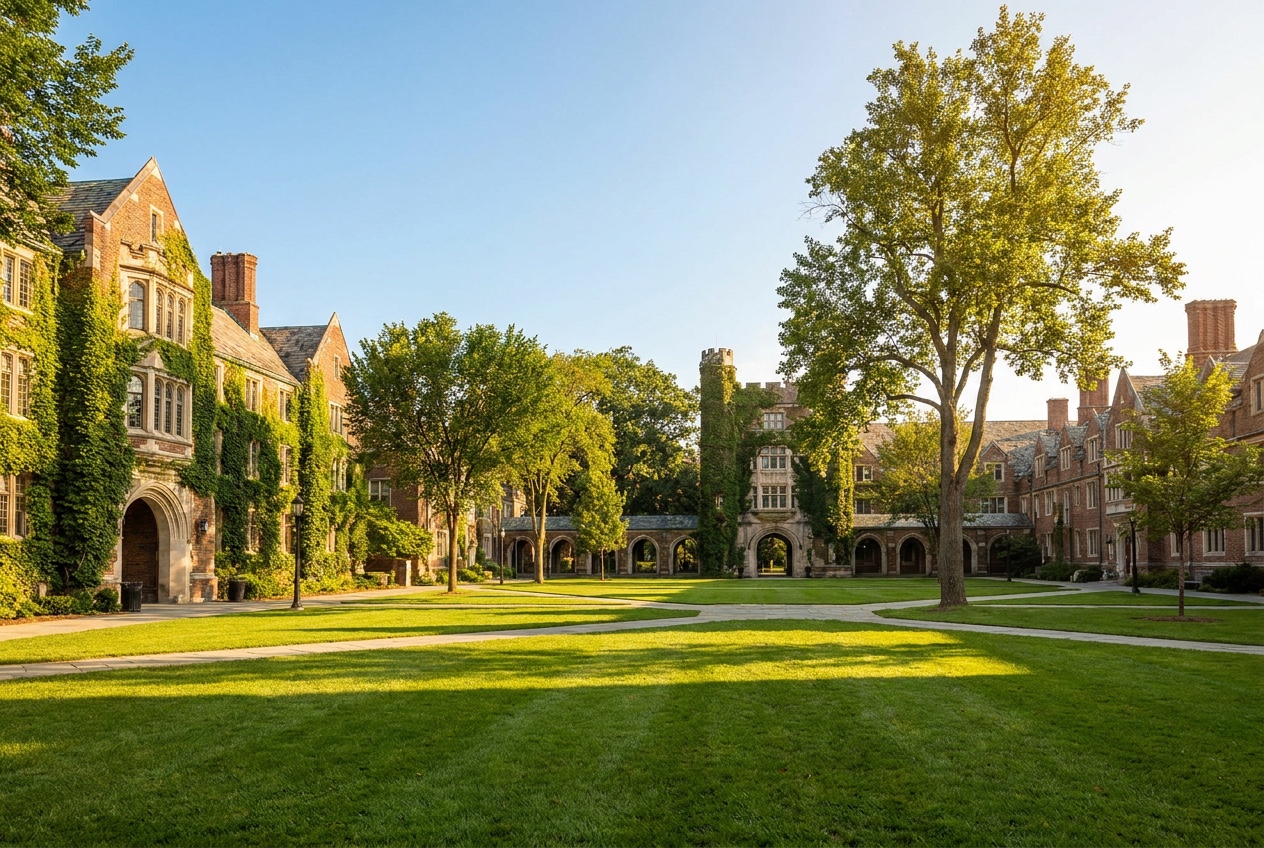
A university quad in bright daylight, students on the central walk The Gothic Gate Hargrove Library
Plate I — The Quad in Daylight Every building, a waypoint
Hargrove Library LIB · 01

“Where’s my 9 a.m.?”

COMM 1310 meets in Whitfield Hall, Room 204 — a four-minute walk. Want the step-free route?

DirectionsBuilding hoursThis building’s story
The student’s side of the marker

What a freshman actually holds.

One tap on any marker opens the welcome-week tour right in the phone browser — collected stops stamped, the next landmark lit, and the building itself ready to answer. Nothing to download, nothing to sign up for.

  • The tour, in progress — every landmark collected stamps into their hunt
  • You are here — the next stop lit, with walk time and route a tap away
  • Tap to collect — the badge fills as they cross the quad
  • Ask this building — answered from your handbooks, in any language
Fig. 2 — the welcome-week tour, live in a student’s hand
Registrar’s Note — At a Glance Fall Term
0
Apps to install — everything opens in the phone browser
1tap
On a marker — QR, NFC, or GPS wakes the waypoint
Any
Language — answers translate for international students
4
Steps from orientation packet to a live welcome week
§ 01 — Orientation Field GuidePg. 03
The first week, on foot

Every campus is full of “now what?” moments.

A campus is easy to love and easy to get lost in. Waypoints meets students exactly where the questions happen — at the steps, the statue, the serving line, the wrong door.

LIB · 01 The library steps

Ten minutes on campus, holding a folder of paper.

She taps the marker by the door. The library introduces itself — and takes the folder off her hands.

  • Orientation checklist — what’s done, what’s next
  • Building hours — today’s, not last semester’s
  • This building’s history — told in ninety seconds
  • “Where’s my 9 a.m.?” — walk time and route included
QUAD · 02 The founder’s statue

Everyone walks past it. Nobody knows the story.

One tap and the statue finally gets to speak — the real story, and a reason to find the next one.

  • The real story — from the university’s own archives
  • Campus legends scavenger hunt — nine landmarks, one badge
  • Collected — this stop stamps into the student’s hunt
DIN · 03 The dining hall

First meal, meal-plan card in hand, no idea how it works.

The marker at the entrance answers before the line moves.

  • Today’s menus — every station, updated by the kitchen
  • Meal-plan answers — swipes, dining dollars, guest meals
  • Allergen flags — on every station, in her language
HALL · B Between lectures

Nine minutes to cross campus. This is the wrong building.

Any marker nearby knows where Hall B is — and the route without stairs.

  • Accessible route to Hall B — step-free, door to door
  • Next stop, next class — the day laid out as a path
  • Walk time — honest, in minutes, from right here
§ 02 — Course CatalogPg. 07
What your campus learns to do

A campus that guides, teaches, and answers.

Waypoints isn’t a bundle of modules. It teaches the physical campus to guide, teach, and answer — and to stay current without a single reprinted flyer.

Undergraduate Catalog · Waypoints Dept. Effective Fall Term
i.
GDE 110
Core · 3 credits

The campus guides.

Wayfinding across the quad, from wherever the student is standing. Every waypoint knows where it sits on the map, what’s nearby, and where you’re headed next — including step-free, accessible routes to any hall on campus.

Meets at
  • Every building entrance
  • Lamp posts along the walks
  • Anywhere a QR, NFC tag, or GPS zone lives
ii.
TCH 210
Core · 3 credits

The campus teaches.

Orientation becomes a quest instead of a packet. Freshmen collect every landmark, unlock the history behind each one, and earn the class badge before the first lecture. The scavenger hunt writes itself from your own campus lore.

Assessment
  • Landmarks collected, stop by stop
  • Quiz stops where it matters
  • Class badge on completion
iii.
ANS 310
Core · 3 credits

The campus answers.

Housing, meal plans, parking, printing, office hours — answered from the university’s own handbooks and FAQs, not the open internet. And it answers in whatever language an international student brings to the conversation.

Required texts
  • Your orientation packet
  • Your student handbook & FAQs
  • Your department documents
iv.
UPD 410
Core · 1 credit

The campus updates instantly.

Room change at 8 a.m.? Event moved to the annex? Edit once in the studio and every marker on campus is current before the coffee line clears. No reprints, no taped-over signs, no out-of-date anything.

Prerequisites
  • None — changes go live the moment you save
§ 03 — Field VignettePg. 11
Phone in hand, at the department door

The answer lives in a handbook nobody carries.

Third floor of Modern Languages, 4:50 p.m., a student outside a closed office. The department’s hours are in a PDF from August. With Waypoints, the door itself can answer — because the AI reads the university’s own documents and speaks for the place it’s standing in.

Every answer cites its source — and you approve every waypoint before it goes live

Fig. 3 — asked at the door, answered by the door

§ 04 — The Course SequencePg. 15
How it works for a campus

Four steps to a living campus.

No committee, no semester-long IT project. You bring the documents your campus already has; the AI does the drafting; you do the approving.

First · Enroll
WPT101

Upload the packet.

The orientation packet, the campus map, department docs, the dining FAQ — whatever you already hand to freshmen. That’s the syllabus.

Prerequisite: None
Second · Draft
WPT201

AI drafts every waypoint.

Stops, stories, directions, quiz moments, badge art — drafted from your documents, in your university’s voice. You review and edit anything.

Prerequisite: WPT 101
Third · Place
WPT301

Place the markers.

QR and NFC markers at buildings, statues, and lecture halls; GPS zones for the open quad. Print them or order them — an afternoon’s walk.

Prerequisite: WPT 201
Fourth · Commence
WPT401

Welcome week goes live.

Freshmen tap, the campus talks, and you watch it happen from the dashboard — which stops draw crowds, what questions get asked.

Prerequisite: WPT 301

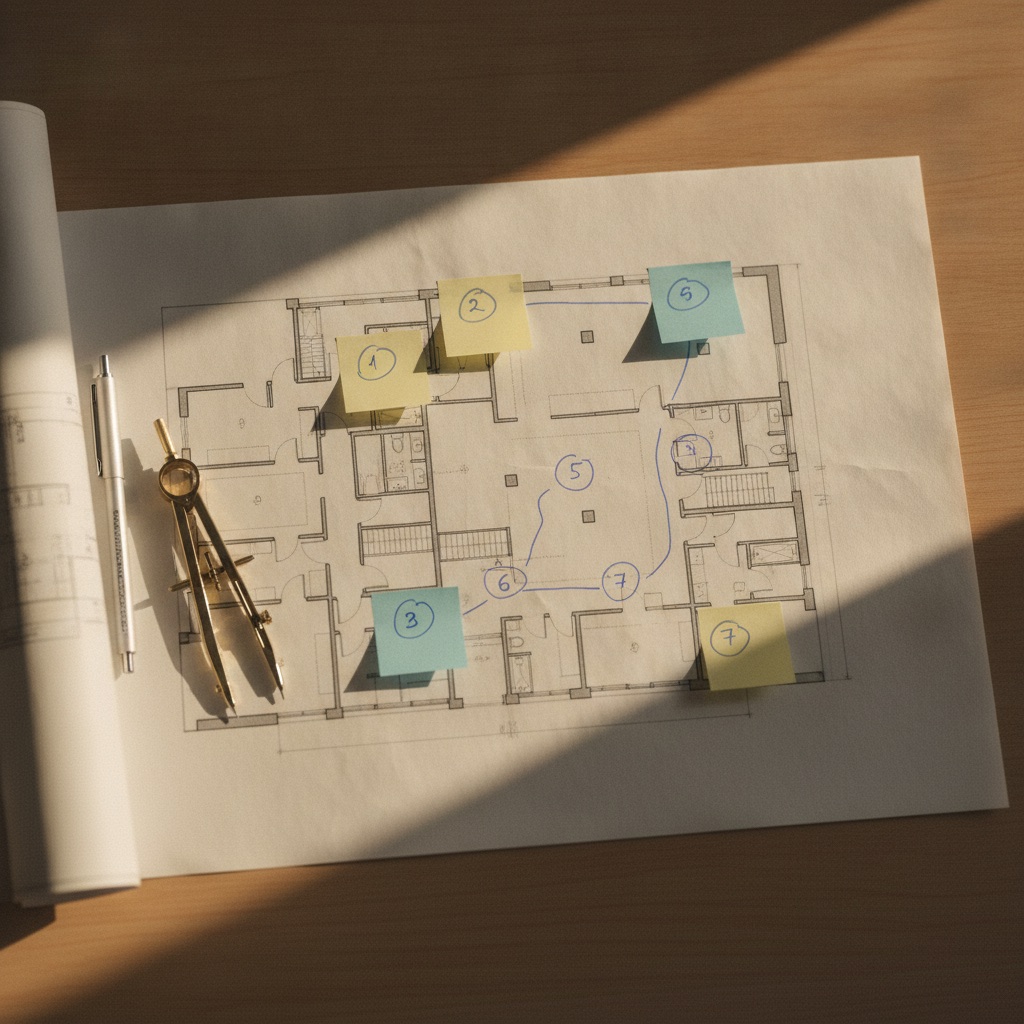
Your map already knows where the waypoints go.

Point at the campus map and mark the spots that matter — the library steps, the founder’s statue, the dining hall doors. The studio turns every numbered mark into a live waypoint, drafted and ready for review.

From marked-up map to live campus — days, not semesters

A campus building plan on a desk, marked with numbered notes at each future waypoint
Fig. 4 — the map, marked for waypoints Nos. 1–7 · drafts pending
§ 05 — End-of-Term ReportPg. 19
What changes on campus

The marks that matter.

a.

Orientation, completed.

Freshmen actually finish — because it plays like a hunt, not a handout. Every landmark collected is a corner of campus that now feels like theirs.

Filed underStudent Life
b.

Tours that run themselves.

A prospective family on a quiet Saturday takes the full campus tour with no guide on shift — at their own pace, in their own order, statue by statue.

Filed underAdmissions
c.

A campus that tells its own story.

Every visitor gets the story in their own language, on their own phone. Admissions stops handing out folded maps and starts handing over the campus.

Filed underEnrollment
§ 06 — The Bursar’s SchedulePg. 23
Pricing

Plain rates. No committee required.

Every plan opens with 14 days free on a real corner of campus. Grow to welcome week when it earns it.

Billed monthly · annual billing waives 2 months No card required to start
6.1 — Minor

Field Kit

One real walk — the historic tour, done right.

$149/mo
14-day free trial · no card needed
Start free trial
  • 1 venue · up to 10 waypoints
  • Core experience builder + AI-generated content
  • Audio, video, quizzes & badges
  • QR, NFC & GPS triggers
  • 14-day free trial
6.2 — Major

Expedition

Orientation, tours, and answers across the whole quad.

$299/mo
14-day free trial
Start free trial
  • Up to 25 waypoints
  • Collectible stamps & badges
  • Multi-language + accessibility
  • Campus analytics
  • More monthly visitors
6.3 — Graduate

Summit

The whole campus, every block, no ceilings.

$599/mo
14-day free trial
Start free trial
  • Unlimited waypoints
  • Every experience block
  • AI talking-head guide
  • Multiple editors
  • Higher usage limits
Business & Enterprise

Run Waypoints as infrastructure.

A whole-campus deployment typically runs $2,000–$5,000/month — one system where fragmented tour, orientation and training tools used to be.

Business

from $1,000/mo

Multiple venues, unlimited waypoints, more editors, and higher visitor volume.

Professional

from $2,500/mo

More venues, higher usage limits, and more editors and analytics.

Enterprise

from $5,000/mo

Unlimited venues, the highest visitor and usage limits, and priority processing.

Book a demo

Bring Waypoints to your campus.

Upload the orientation packet today. Walk past a lamp post that answers before the week is out.

14-day free trial · no card · nothing to install for students, ever

§ 07 — Registrar’s FAQPg. 27
Common questions

Asked at the registrar’s window.

Q.1 Do students have to download an app?

No — and they never will. A tap on a QR code or NFC marker (or walking into a GPS zone) opens the waypoint in the phone’s browser. Nothing to install, nothing to sign up for, nothing between a freshman and the answer.

Q.2 How does it know the right answers for our campus?

Because you give it the sources: the orientation packet, the student handbook, the campus map, department documents. The AI drafts every waypoint from your materials — not the open internet — and your team reviews and approves everything before it goes live.

Q.3 What about international students and accessibility?

Waypoints answers in the language the student writes in, so the same marker serves the whole incoming class. Wayfinding can prefer step-free, accessible routes, and every waypoint is a simple text-first page that respects the phone’s own accessibility settings.

Q.4 Who keeps it all up to date?

One person with a browser. Edit a waypoint in the studio — a room change, a moved event, new dining hours — and every marker on campus updates instantly. The physical QR codes never change; only what they say does.