Guided, intelligent tours for any place

Drop a waypoint anywhere. Turn your place into a guided tour.

Upload the handbook, the SOPs, the floor plan — and the Waypoints AI drafts the whole experience: the stops, the narration, the quizzes, even the collectible stamp art. Every stop becomes a talking digital twin that answers from its own documents.
14-day free trial · no credit card to start
Tap · QR · NFC · GPS Nothing to install Any language, one click
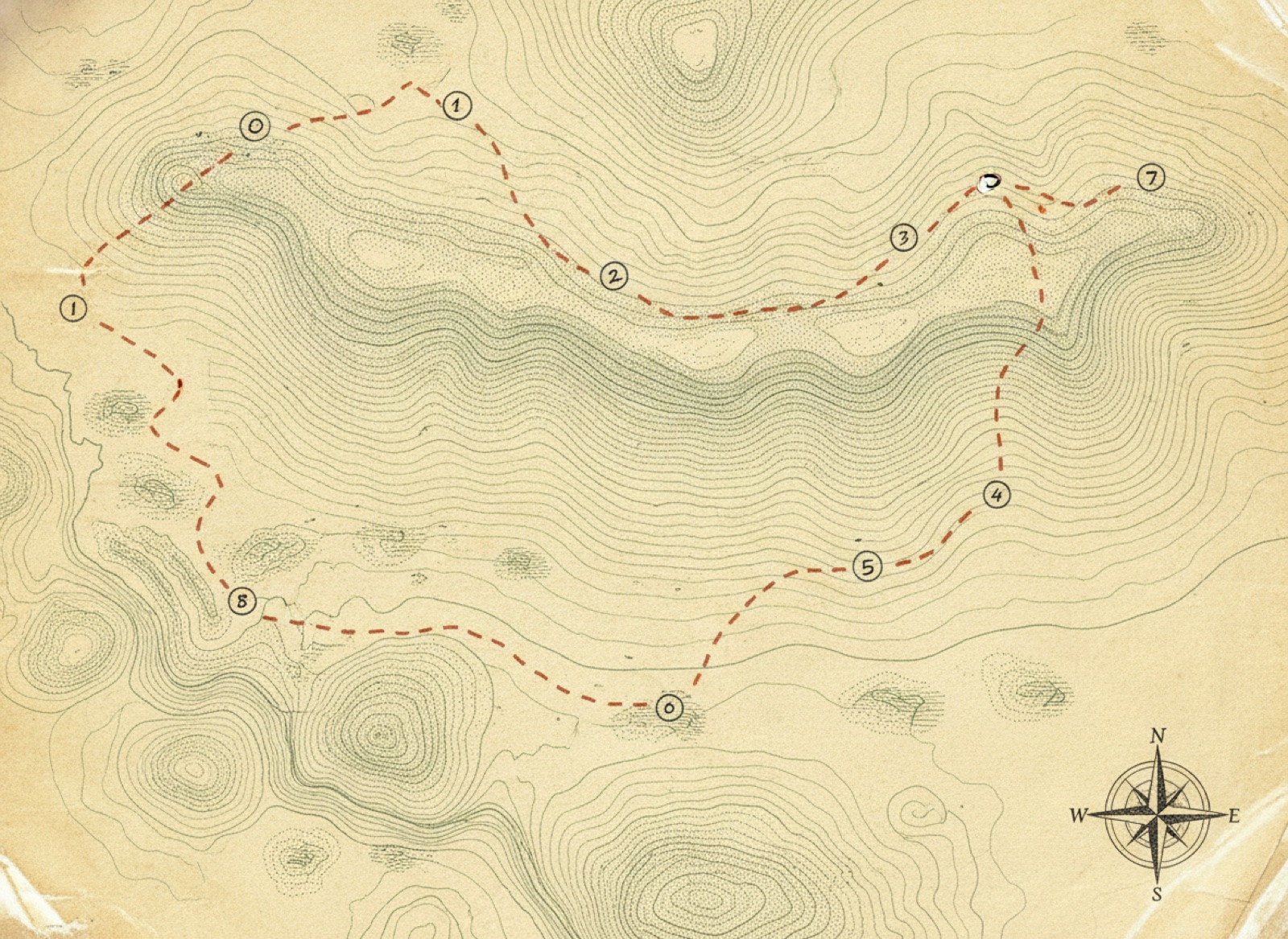
Hand-drawn expedition survey map with a dashed route connecting numbered waypoints
Your tour, mapped stop by stop — tap a stop to explore Fig. 1
The visitor's view — tap a stop →
By the numbers Across Waypoints tours
10×
Faster to build than a printed guide
92%
Tour completion when stops are collectible
40+
Languages, translated in one click
0
Apps for your visitors to download
Entry Nº 01 — A note on placards The shift

The placard is dead.
The place can talk now.

A printed sign says the same thing to everyone, never updates, and can't answer a single question. Waypoints makes every location a living, intelligent stop.

The old way
  • Weeks with a designer, a print shop, and a laminator
  • Static text — same message for every visitor, forever
  • Reprint everything the moment one detail changes
  • One language, no answers, no proof anyone learned it
  • Nobody finishes, nobody remembers
With Waypoints
  • Upload your docs — AI drafts the whole tour in minutes
  • Every stop answers questions from its own documents
  • Change content anytime — it's live the second you save
  • One-click translation, quizzes, and certification tracking
  • Collectible stamps pull people all the way to the finish
Entry Nº 02 — The method Four legs of the route

From documents to a live expedition.

No code. No print shop. Point your phone and place your stamps — the trail below draws itself the way your tour does.

1
Leg 01 — Base camp

Create a tour

Name your expedition and choose an edition — onboarding, safety, museum, campus, whatever the place is.

2
Leg 02 — The draft

AI drafts it from your docs

Upload handbooks, SOPs, floor plans, or photos. The AI writes the stops, the quizzes, the narration — and designs the stamp art.

3
Leg 03 — The survey

Walk around and place

Point your phone at each location and tap Place. Tap, QR, NFC, or GPS — no code, no wiring, no laminator.

4
Leg 04 — The return

Explore, learn & certify

Visitors discover, collect, ask questions, pass quizzes, and earn badges — and managers see it all in one ledger.

Tap a waypoint ↑
Entry Nº 03 — Field notes Why Waypoints

Seven things a laminated sign will never do.

One engine behind every experience — built so the hard parts (authoring, intelligence, tracking, translation) are already done.

Note Nº 1 — The headline feature

The AI drafts the whole tour from your documents.

Drop in an employee handbook, an SOP, a floor plan, a brochure, or a folder of photos. Waypoints reads it and drafts everything: it suggests the stops, writes each description, generates quiz questions, drafts the voice narration, and designs a unique stamp for every location. You review, tweak a few words, and publish — minutes, not weeks.

Handbook to tour in minutes, not weeks
Waypoints Builder Soft Touch Matte
Selected waypoint
Waypoint 03 · Heron Island
What happens here — toggle the capabilities on.
Experience blocks
AI Guide Voice narration Collectible stamp Quiz Photo AR moment
Draft saved · 5 capabilities on · 3 blocks added
Plate II — The Waypoints Builder, Soft Touch Matte
Note Nº 2 — A digital twin of every stop

Every stop is an intelligent knowledge node.

Visitors tap a stamp and just ask — “What bird is nesting out there?” “Why are these leaves turning already?” “Show me what else blooms on this trail.” Each answer is grounded only in that stop's own field notes, so it's accurate and on-topic, never a generic web guess. Every place along the trail becomes a talking digital twin that knows its own story.

Grounded answers · never off-script

A wooden boardwalk winding through a green cypress wetland nature trail
Plate III — Cypress boardwalk, heron island Stop 3 / 12
Q: WHAT'S NESTING ON THAT ISLAND?
That's a great blue heron rookery — they return here every spring. Keep to the boardwalk and you'll spot the chicks by late April.
Source: Cypress Trail field notes
Note Nº 3 — The hook that finishes tours

Collectible stamps people actually chase.

Every stop hands out a unique, themed collectible badge. The collection fills up as visitors explore, and the empty slots pull them to the very last stop. It turns a tour into a game people want to complete — and every stamp carries your brand into their pocket for free.

Gamified completion · branded keepsake
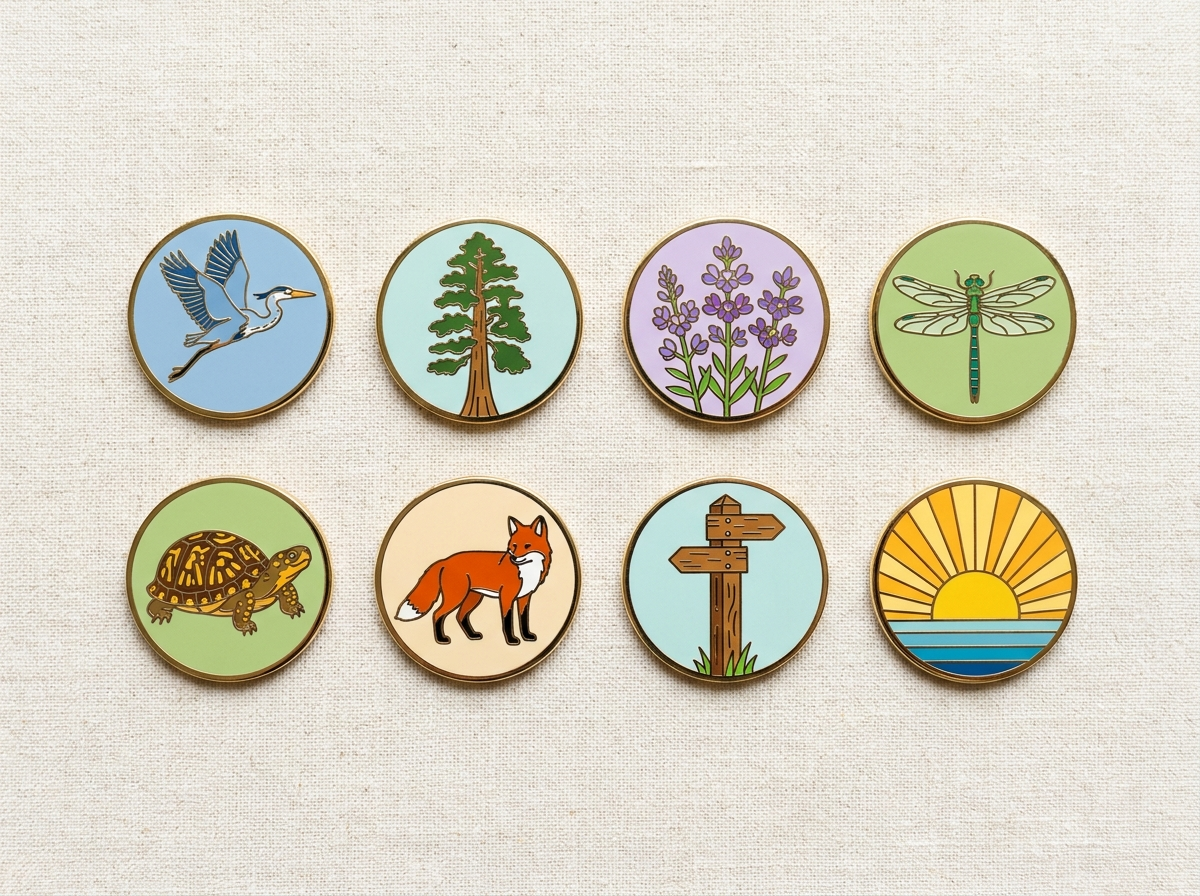
A collection of nature-trail collectible stamps — heron, cypress, wildflower, dragonfly, turtle, fox, trail marker and sunrise — on bright linen
Plate IV — The collection 7 of 8 — one to go
Nº 4

Quizzes, certification & manager tracking

Turn any tour into real training. Quiz-gate each stop, hand out a badge for a pass, and give managers a ledger of exactly who completed and passed — ideal for onboarding, safety, and OSHA compliance.

Nº 5

Translate to any language in one click

Publish once and open the whole experience — descriptions, narration, and quizzes — in another language instantly. Reach every visitor and every worker on your floor without rebuilding a thing.

Nº 6

Triggers anywhere — tap, QR, NFC or GPS

Fire a stamp however the place demands: a tap, a scanned QR, an NFC tag, or GPS as visitors walk by. Works indoors and outdoors, with an optional light AR catch moment for a little delight.

Nº 7

Update anytime — no reprint, ever

A machine gets a new part, a policy changes, an exhibit rotates — edit the stop and it's live the instant you save. Your experience is always current, unlike anything you could laminate.

Entry Nº 04 — Specimens In the explorer's hand

Discover the stamp. Collect it.
Then ask it anything.

Visitors open a link — no app store, no download. They walk up to a stop, catch the stamp, hear the narration, and ask the questions that actually matter to them.

Fig. 2 — The route
Every stop on the trail, progress in ink
Fig. 3 — The stop
Tap to collect, then ask it anything
Fig. 4 — The proof
A quick quiz earns the badge and logs the pass
Themed badge drops into the collection AI voice narration, hands-free Answers only from its own documents Quiz earns the badge, logs the pass
Entry Nº 06 — Permits & passage Pricing

Simple permits that scale with the territory.

Every permit opens with a 14-day free trial. No credit card to begin.

Permit Nº 01

Field Kit

One venue, mapped and live.

$149/ mo
14-day free trial · no card needed
Start free trial
  • 1 venue
  • Up to 10 waypoints
  • Core experience blocks — knowledge, narration & journey
  • 14-day free trial
Permit Nº 02

Expedition

Training, stamps & intelligence for the full route.

$299/ mo
14-day free trial · billed monthly
Start free trial
  • 25 waypoints
  • Learning + certification
  • Engagement + collectible stamps
  • Multi-language + accessibility
  • Analytics
Permit Nº 03

Summit

The whole territory, no limits.

$599/ mo
14-day free trial · billed monthly
Start free trial
  • Unlimited waypoints
  • Every experience block
  • AI talking-head guide
  • Multiple editors
Permit Nº 04 — Outfitter operations

Business & Enterprise

Run Waypoints as infrastructure — for the outfits charting more than one territory.

Business
from $1,000/ mo

Several venues under one basecamp.

Professional
from $2,500/ mo

Higher usage limits, more editors & analytics.

Enterprise
from $5,000/ mo

Unlimited venues, the highest visitor & usage limits, priority processing.

Most trails start self-serve — larger parks and trail networks typically run in the Business tier.

Book a demo

Annual passage: two months free on any permit · cancel anytime

An expedition kit on a walnut desk — brass compass, leather field notebook, folded map and fountain pen Field kit · inventory 004 Plate V — Tools of the survey · now performed by the Studio
Entry Nº 07 — From the logbook Reports from the field

Teams stopped reprinting.
Visitors started finishing.

Log 114 · Northridge Mfg. I uploaded our 40-page safety SOP on a Monday and had a quiz-gated floor tour live by lunch. The manager dashboard alone replaced a spreadsheet I hated.
Dana Alvarez
EHS Manager · Northridge Mfg.
Log 127 · Meridian Museum The collectible stamps changed everything. Families come to the front desk asking which exhibit they're missing. Completion jumped and we haven't reprinted a single label.
Marcus Okafor
Visitor Experience · Meridian Museum
Log 131 · Cedar Hall New hires actually ask the machine questions now instead of waiting for me. One click and the whole tour is in Spanish for half our team. It paid for itself in week one.
Priya Lakshmi
People Ops Lead · Cedar Hall
Entry Nº 08 — Commonly asked in the field Questions, answered

The stuff people ask before they start.

Q.01How do stamps get triggered?
However the place works best. A visitor can tap a stamp on a map, scan a QR code, hold their phone near an NFC tag, or simply walk into a GPS zone. It works indoors and outdoors, and you can mix triggers within a single tour. There's also an optional light AR “catch” moment for a bit of delight — but the platform, not AR, is the product.
Q.02Do visitors need to download an app?
No. Everything runs in the phone's browser from a link or a scan — no app store, no install, no account required to explore. That's why completion rates stay high: there's zero friction between walking up and collecting the first stamp.
Q.03Can AI really build the whole tour for me?
Yes — that's the core of Waypoints. Upload a handbook, an SOP, a floor plan, a brochure, or a set of photos, and AI drafts the full experience: it proposes the stops, writes each description, generates quiz questions, drafts the voice narration, and designs a stamp for every location. You're never starting from a blank page — you review, edit a few words, and publish.
Q.04Is my data private, and are the answers accurate?
Your documents are yours. The “Ask this stop” AI answers only from the materials attached to that specific stop, so responses stay grounded, on-topic, and accurate — it won't wander off into a generic web guess. Enterprise plans add multiple editors and the higher usage limits larger organizations need as they scale across many venues.
Q.05What if the content changes later?
Edit the stop and it's live the instant you save — no reprinting, no re-stickering, no downtime. A machine gets a new part, a policy updates, an exhibit rotates: change it once and every visitor sees the current version immediately.
Q.06Can I track who completed training?
On Expedition and above, yes. Add a quiz to any stop, require a passing score to earn the badge, and managers get a dashboard showing exactly who completed and passed each experience — the audit trail you need for onboarding, safety, and OSHA compliance.
The place is ready to talk

Every location has a story.
Give it a voice.

Stop laminating. Upload your docs, place your stamps, and let visitors discover, collect, learn, and certify — all from their own phone.

Charted wherever you are · 14-day free trial · no credit card