Corporate campus · HQ · Workplace

Day one shouldn’t need a chaperone.

Waypoints turns your campus into a workplace that explains itself — where every desk, conference room, lab door and coffee machine can onboard, train, and answer. Tap the sign. It opens in the phone browser. No download.

Tap · QR · NFC — zero installs Drafted from your handbook & SOPs Live in an afternoon
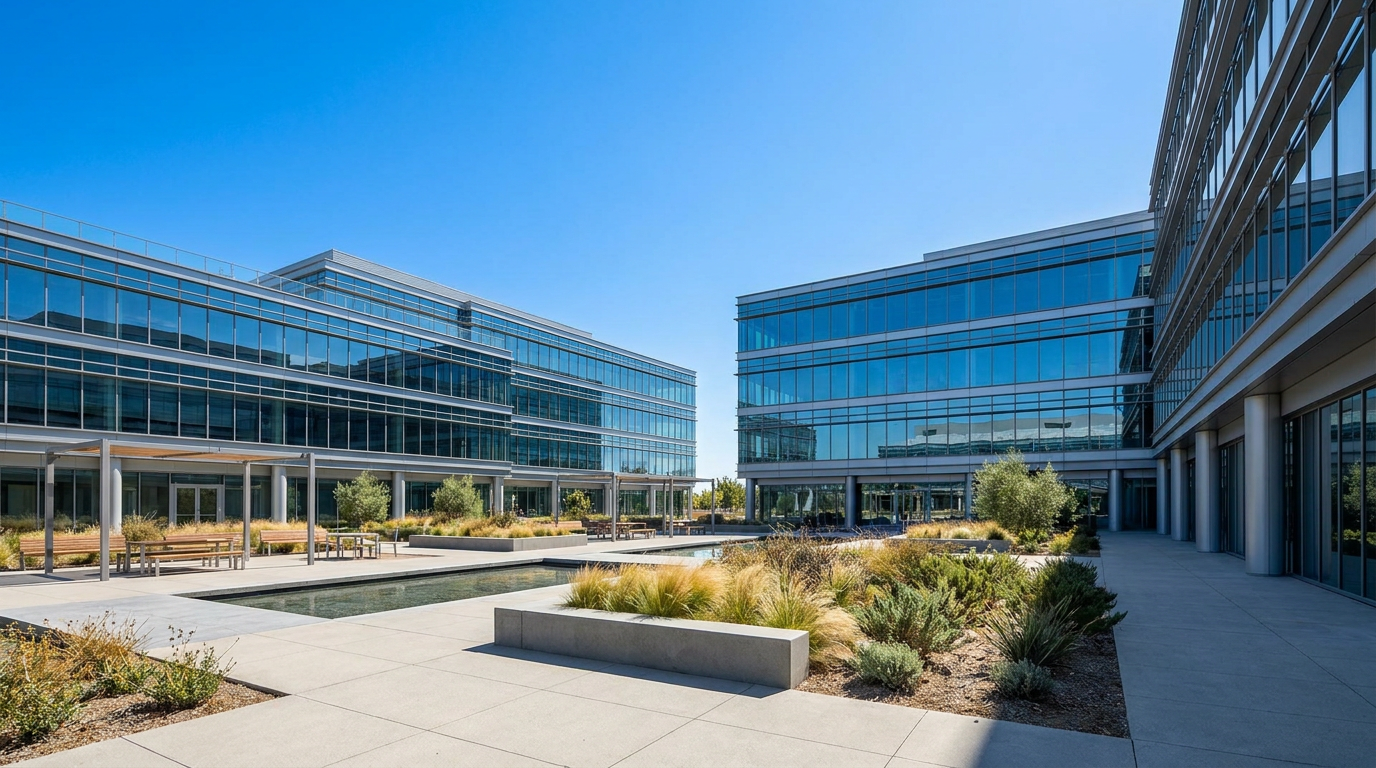
A bright, sunny corporate campus courtyard — glass office buildings, benches and planters in full daylight New-hire desk · 4.12 Conference room · 3.02 Safety station · B-07 Café point · Espresso how-to WS-HQEvery desk, door and machine — a waypoint
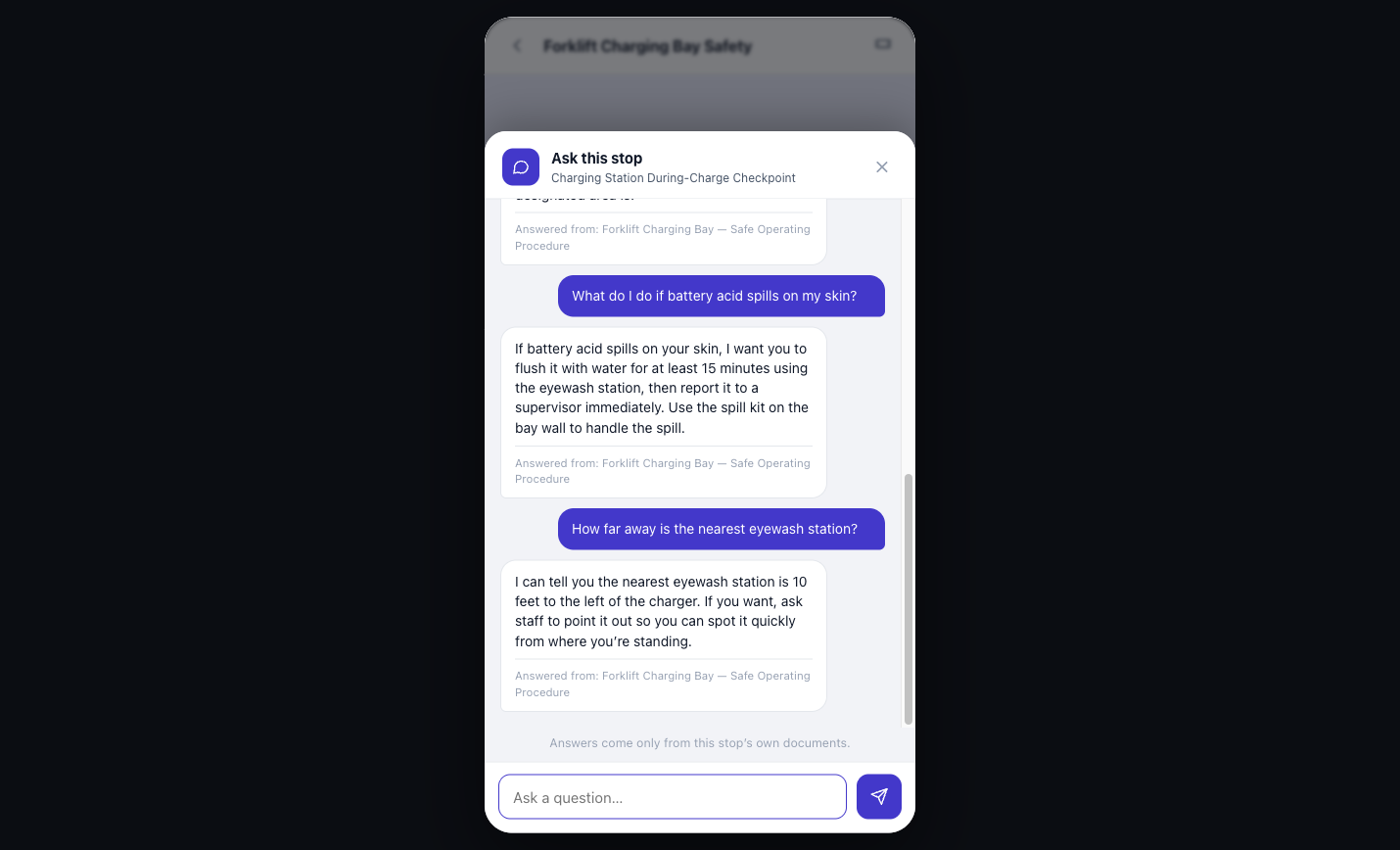
The Waypoints app open at a waypoint, answering a safety question from the company's own operating procedure and citing the source document

The actual app — answering at the waypoint,
from your own documents

Building directory — what your workplace learns to do LVL 01–05
TrainsOnboarding as a guided walk
CertifiesQuiz at the spot · ledger for the manager
Gets work doneWork orders from the equipment itself
AnswersFrom your handbook — every language
01Wayfinding — the moments
Where the questions actually happen

Every “now what?” moment, answered on the spot.

A workplace is full of small dead ends — a new desk, a locked AV cart, a fire extinguisher with a clipboard. Put a waypoint on each one and the place answers for itself.

02Capabilities — verbs, not modules
What the workplace can do

Not software your people open. Abilities your building gains.

01 / Trains

Onboarding becomes a guided walk. New hires collect every station — desk, badge office, safety gear, their team’s floor — and finish day one certified, not lost.

02 / Certifies

A quiz at the spot. A badge issued on the phone. A ledger the manager can see — timestamped, exportable, OSHA-ready.

Certified · logged · visible
03 / Gets work done

Report it broken. Open the work order. See the inspection history — from the equipment itself, not from a portal nobody bookmarks.

04 / Answers

From your handbook and your SOPs — never the open internet — in every employee’s language, with the source cited.

05 / Updates instantly

Policy changes propagate to every waypoint the second HR saves. The signs on the wall never reprint — the content behind them is always current.

Printer · 3B · IT
Printer 3BWaypoint · Floor 3 · IT equipment
How do I badge-print here?
Hold your badge to the reader below the screen, then choose Secure Release. Your queued jobs print in the order you sent them — nothing prints until your badge taps. Source: IT-SOP-114 · Secure printing
By the way — printer 3B-East is closer to your desk, and it’s free right now. Want directions?
Yes please 🙌
In the employee’s hand

Ask the printer. It read the manual so nobody has to.

Every waypoint carries an assistant scoped to your organization’s own documents. A new hire asks the printer how to badge-print — and gets IT’s actual procedure, cited, plus something no PDF ever offered:

  • Answers from your docs, not the internet. IT’s SOP is the source, and it says so.
  • Context about the place. It knows where this printer is — and that 3B-East is nearer their desk.
  • Every language your people speak. Same waypoint, same doc, answered in theirs.
03Install route — four steps
How it works for a workplace

From handbook to a building that onboards — in four steps.

No integrations required to start. No IT project. You bring the documents you already have; AI does the drafting.

1Upload

Feed it what you already have

The employee handbook, your SOPs, the benefits guide, the floor plan. Drag, drop, done.

~10 minutes
2AI drafts

Every waypoint, written for you

AI drafts each station from your own documents — welcome copy, how-tos, quizzes, checklists. You review and edit; you don’t start from blank.

Minutes, not weeks
3Place

QR + NFC where work happens

Print the signs. Stick them at desks, doors, equipment, safety stations. Each one opens in the phone browser — no install, no login wall.

One walk of the floor
4Go live

Monday onboards itself

The new-hire class walks the route, collects every station, and finishes certified — while HR watches progress on the ledger.

Day one, handled
04Outcomes — what changes
Ninety days in

What stops happening is the point.

HR & IT

Day-one questions stop landing on Slack.

“Where do I set up direct deposit?” gets answered at the desk where it’s asked — not in a channel where three people stop working to reply.

Compliance

Compliance training has receipts.

Who trained, where, when, on which revision — a timestamped ledger instead of a binder of signatures nobody can find during the audit.

Facilities

Tickets file themselves — from the broken thing.

The report comes from the equipment’s own waypoint, so it arrives with the location, asset ID and history attached. No “which printer did you mean?”

05Rate card
Pricing

Start free. Scale by floor, not by seat.

Billed monthly · annual billing waives 2 months · no card required to start.

5.1

Field Kit

One building, wired for answers.

$149/mo
14-day free trial · no card needed
  • 1 venue · up to 10 waypoints
  • Core experience builder + AI-generated content
  • Audio, video, quizzes & badges
  • QR, NFC & GPS triggers
  • 14-day free trial
Most chosen
5.2

Expedition

Training, certification & engagement.

$299/mo
14-day free trial
  • Up to 25 waypoints
  • Collectible stamps & badges
  • Multi-language + accessibility
  • Analytics
  • More monthly participants
5.3

Summit

Every block, no ceilings.

$599/mo
14-day free trial
  • Unlimited waypoints
  • Every experience block
  • AI talking-head guide
  • Multiple editors
  • Higher usage limits
5.4 — Business & Enterprise

Run Waypoints as infrastructure.

Every floor, every campus, one system of record — deployed with you, not left on your plate.

Business

from $1,000/mo

Multiple sites, unlimited waypoints, more editors, and higher participant volume.

Professional

from $2,500/mo

More sites, higher usage limits, and more editors and analytics.

Enterprise

from $5,000/mo

Unlimited sites, the highest participant and usage limits, and priority processing.

A full facility deployment typically runs $3,000–$10,000+/month — less than one preventable safety incident.

Book a demo
Every tier: zero installs for employees Upgrade or cancel any time
You are here — the last sign your building needs you to read

Put your workplace to work.

Upload the handbook tonight. Walk the floor with the signs tomorrow. Let Monday’s new-hire class onboard itself.

14-day trial · no card · nothing to install for your employees, ever

06Clarifications
Workplace FAQ

Asked by every HR, IT and facilities lead so far.

Q.01Do employees have to install anything?+

No — nothing, ever. A tap on an NFC sign or a QR scan opens the waypoint in the phone browser they already have. No app store, no account creation to get an answer, no IT rollout.

Q.02Where do the AI’s answers come from?+

Only from the documents your organization uploads — the handbook, SOPs, benefits guides, equipment manuals. Every answer cites its source doc, and if it isn’t in your material, it says so instead of guessing.

Q.03Is the certification real enough for compliance?+

Each certification records who, where, when, and which document revision — a timestamped, exportable ledger your managers can see live. That’s the paper trail auditors ask for, minus the paper.

Q.04What happens when a policy changes?+

Update the document once and every waypoint reflects it the second HR saves. The signs on the wall never need reprinting — they’re just doors into content that stays current.